Price monitoring inside Shopify
Your competitor watchlist. Without the daily tab shuffle.
Already checking the same products on competitor sites? Bring those pages into Shopify, track daily price changes, and set alerts for your watchlist.
Start your 14-day free trial through Shopify. Review matching pages, then follow daily price changes. Setup help is included.
$39 every 30 days after the trial, billed through Shopify. Up to 300 Shopify products and 300 total competitor URLs, checked daily. No automatic repricing.
From product pages to a daily watchlist
Start with a few familiar products. If you are unsure about a competitor site, request an optional free coverage check first.
1. Start in Shopify
Install SKU Surf and review Shopify's permissions and billing approval for your trial. Open the app from your store admin.
2. Build your watchlist
Choose the products to monitor, review exact-variant matches, or add known competitor URLs. Follow the first-watchlist guide or ask for setup help.
3. Follow price changes
Review prices, currencies, and the last successful check time. Set alerts for the changes you care about. You decide whether to change your own prices.
See the dashboard layout
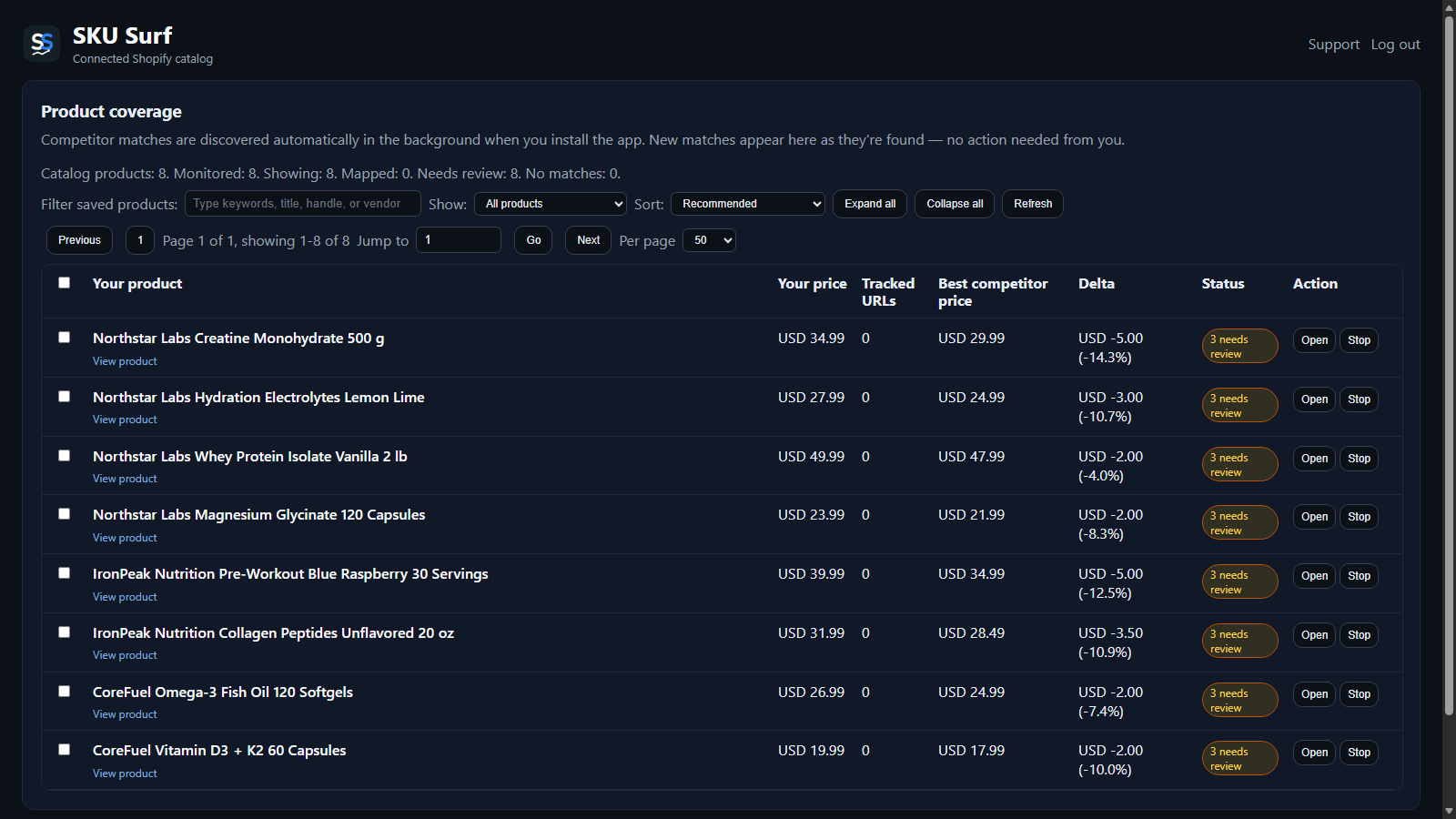
A clear starting point
One plan. Two clear allowances.
Monitor up to 300 Shopify products and 300 total competitor URLs across your store. Each competitor URL uses one URL slot: 20 products with 3 competitor URLs each use 20 product slots and 60 URL slots.
Daily checks do not guarantee coverage of every website. Support depends on product identity, variants, and website access. Check coverage first if you are unsure.